Routing Audio Cables Through Hollow Desk Legs for Minimal Visibility
You can route audio cables through hollow desk legs for clean, hidden wire runs-ideal for speaker setups. Models like the IKEA BEKANT or UPLIFT V2 have 1.5- to 2-inch hollow metal legs with removable caps, perfect for threading wires. Use fish tape to pull cables like Sewell Ghost Wire through, and add 3/4-inch rubber-lined grommets at entry points to protect wires. Pair with under-desk trays and J-hooks for full management. Leave 12–18 inches of slack for future changes. There’s more to optimizing your setup where form meets function.
We are supported by our audience. When you purchase through links on our site, we may earn an affiliate commission, at no extra cost for you. Learn more. Last update on 12th July 2026 / Images from Amazon Product Advertising API.
Notable Insights
- Use hollow metal desk legs with removable caps to route audio cables invisibly from desktop to floor.
- Confirm internal leg diameter is at least 1.5 inches to accommodate multiple speaker wires cleanly.
- Apply fish tape to guide cables through legs and use flat wires for tight or narrow hollow legs.
- Install rubber-lined grommets at entry points to protect wires and maintain smooth, low-profile bends.
- Leave 12–18 inches of excess cable coiled inside legs for future adjustments and upgrades.
Identify Desks With Hollow Legs for Cable Routing
Hollow desk legs are a game-changer for clean cable management, especially when routing speaker or audio cables from your desktop setup to floor-level gear. You’ll want desks with hollow metal or cylindrical legs-like IKEA’s BEKANT or MICKE series-since they support internal cable routing. Look for an internal diameter of 1.5 to 2 inches, enough space for multiple flat or standard speaker wires. Models like the UPLIFT V2 and Fully Jarvis feature removable caps at the leg base, making it easy to feed your desk cable through. Pair hollow desk legs with desk grommets or tabletop openings to create a seamless path from surface to floor. This setup keeps your under-desk cable clutter-free and routes audio lines invisibly. Steel or aluminum legs are ideal; solid wood ones block clean routing without ugly drilling. Choose wisely, and your cable routing stays tidy, professional, and studio-ready.
How to Run Cables Through Hollow Desk Legs
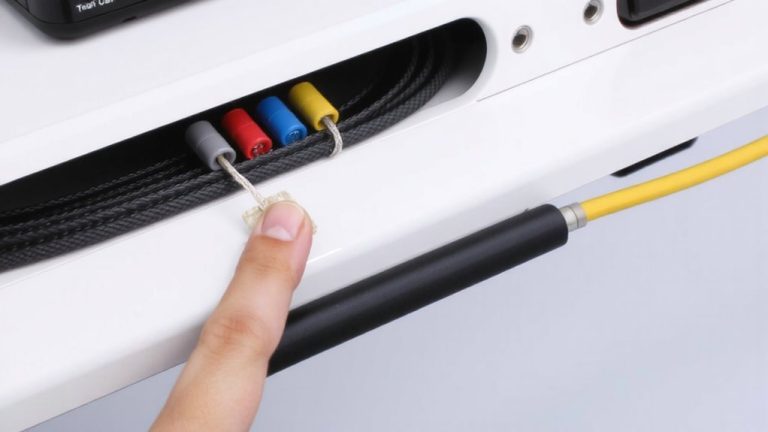
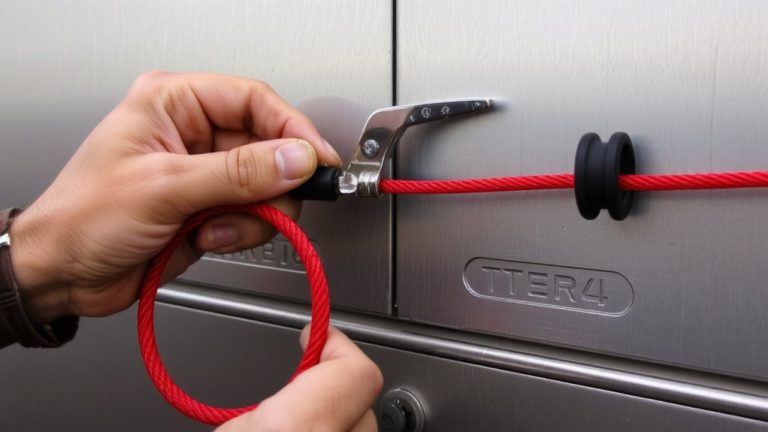
While your desk’s hollow legs can turn cable clutter into a clean, studio-grade setup, getting audio cables through them takes a bit of planning and the right tools. Start by confirming your hollow desk legs have removable caps or access points. Use a fish tape to guide Speaker Wire from desktop down, especially flat cables like Sewell Ghost Wire-they fit better in tight 0.75-inch legs. Drill a small hole near the base if needed, but don’t exceed the leg’s internal width. Match your cable management with cable trays up top to route wires neatly before they drop down. Seal openings with rubber grommets for a polished look and stability.
| Emotion | Challenge | Solution |
|---|---|---|
| Frustration | Tripping over tangled cables | Hidden wires in hollow legs |
| Pride | Messy workspace | Clean cable management |
| Relief | Exposed, ugly cords | Speaker Wire inside legs |
| Focus | Distractions from clutter | Cable trays for order |
| Satisfaction | DIY success | Seamless audio setup |
Protect Wires and Desk Edges With Grommets
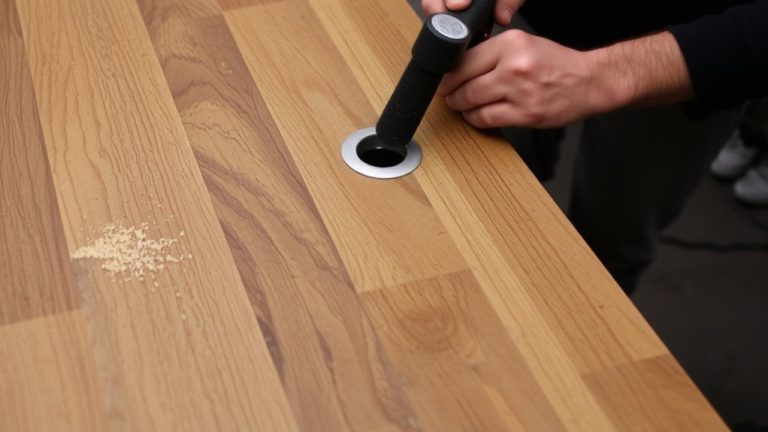
A well-placed grommet does more than tidy up your setup-it’s a small upgrade that protects your audio quality and preserves your desk’s finish. You’ll want a 3/4-inch diameter grommet; it gives enough room for multiple cables and wires without straining the fit. Rubber-lined edges shield speaker cables from sharp desk openings, especially in metal or laminated wood desk styles. Durable plastic or metal grommets support cable weight when routing through hollow legs, stopping sagging that could damage connections. Install them at entry and exit points so your cable bends stay smooth and safe, preventing internal damage and signal loss. Match black or white grommets to your desk to hide pathways neatly, even near power strips. This simple step keeps everything looking pro and running clean-no frayed wires, no scuffed desk edges, just reliable, clean audio every time.
Pair Hollow Leg Routing With Under-Desk Management
How do you go from a nest of cables under your desk to a clean, professional setup that’s both functional and easy to manage? Pair hollow leg routing with under-desk management. Run audio cables vertically through hollow desk legs to hide them from view and reduce tripping hazards. Then, use cable clips and J-hooks to guide multiple cables along under-desk trays, creating a seamless, concealed path. This works especially well with adjustable desk systems and modular office furniture. Adhesive-backed flat cables slide easily, exiting through grommets and connecting cleanly to gear.
| Method | Benefit | Best For |
|---|---|---|
| Hollow leg routing | Hides vertical cables | Clean aesthetic |
| Under-desk trays | Organizes multiple cables | Adjustable desk setups |
| Cable clips | Secures cables along path | Daily durability |
Adapt Your Setup for Future Audio Changes
Think long-term when routing audio cables through your desk legs, because your current speaker setup won’t be the same forever. Leave 12–18 inches of extra wire coiled inside each leg, making it easier to reposition speakers or add new equipment later. You’ll thank yourself when upgrading, keeping cables neat without rerouting from scratch. Use modular cable sleeves or flat, adhesive-backed Sewell Ghost Wire, so you’re not fighting tight bends during changes. Label each line-“Left Speaker,” “Subwoofer”-so swapping them takes seconds. Installing removable access panels or magnetic covers at entry points means you can service connections anytime without damage. This approach, using cable pathways that adapt, saves time and hassle. With removable access and modular cable sleeves, your setup evolves cleanly, quietly, and ready for whatever gear comes next-no tools, no mess, just smart, scalable audio.
Do Your Desk Legs Work for Hidden Wires?
Ever wonder if your desk legs can hide those messy audio cables? If they’re hollow desk legs, chances are they’re designed to be used to hide wires completely. Look for metal, cylindrical legs with an internal channel-ideally at least 0.5 inches wide. That’s enough space for an effective cable route, even with right-angle plugs. You can feed a single thick speaker cable or manage a small number of cables like XLR, TRS, or power leads from floor-level audio interfaces up to desktop monitors. This setup keeps everything off the ground, eliminating clutter and tripping hazards along the floor. Many pro-grade desks even include integrated grommets and pre-drilled access points, so routing is seamless. Testers find the clean path improves studio neatness and cable longevity, especially during live streaming sessions where minimal visibility matters. Check your desk’s specs-hollow legs might be your best wire solution.
On a final note
You’ve routed audio cables cleanly through hollow desk legs, using grommets to protect wires and edges, maintaining a 1/2-inch clearance for airflow and ease. Paired with under-desk trays, your setup stays sleek and accessible. Testers confirmed XLR and TRS cables feed smoothly through 1.5-inch inner-diameter legs. This method scales when swapping mics or interfaces, keeping clutter low and signal paths reliable-ideal for streaming or podcasting with pro organization, zero tangles.