Creating a Livestream Niche for People With Chronic Illnesses or Disabilities
You can create a livestream niche for people with chronic illnesses or disabilities by using Twitch with WebCaptioner.com for real-time captions in OBS Studio, ensuring screen reader compatibility, keyboard navigation, and high-contrast mode, lighting your face evenly with a 10-inch ring light at 5600K, capturing clean audio with a FIFINE K669B mic and pop filter, streaming via avatar to reduce physical strain, and rebuilding trust through Discord and low-pressure community updates-there’s a proven path to making your stream truly inclusive.
We are supported by our audience. When you purchase through links on our site, we may earn an affiliate commission, at no extra cost for you. Learn more. Last update on 18th July 2026 / Images from Amazon Product Advertising API.
Notable Insights
- Choose accessible platforms with keyboard navigation, screen reader support, and real-time captioning for inclusivity.
- Optimize lighting and visuals using high-contrast setups and avoid flashing effects to aid low-vision viewers.
- Ensure clear audio with quality microphones and pair with live captions using tools like WebCaptioner.com.
- Use virtual avatars and streaming mods to reduce physical strain and support consistency during symptom flares.
- Rebuild community engagement through low-pressure platforms like Discord and include audio descriptions for accessibility.
Choose Accessible Platforms for Disabled Streamers
Why settle for a platform that doesn’t meet your needs when you’re building a space for chronic illness or disability advocacy? Choose live streaming platforms that support keyboard accessibility, high contrast mode, and closed captions-features critical for people with disabilities. You need screen reader compatibility and adjustable text size so all viewers can engage easily. Platforms like Twitch let you integrate real-time speech-to-text via WebCaptioner.com, giving you free, accurate closed captions when streaming through OBS Studio. An accessible live stream isn’t just about video-it’s about inclusion. Avoid platforms with constant buffering or low-bitrate streams; they disrupt lip-reading timing and exclude deaf and hard-of-hearing audiences. Check accessibility audits before committing-only a few platforms actively improve tools despite the $89 billion market. Pick one that works for your audience, not against them.
Optimize Lighting, Audio, and Captions for Inclusion
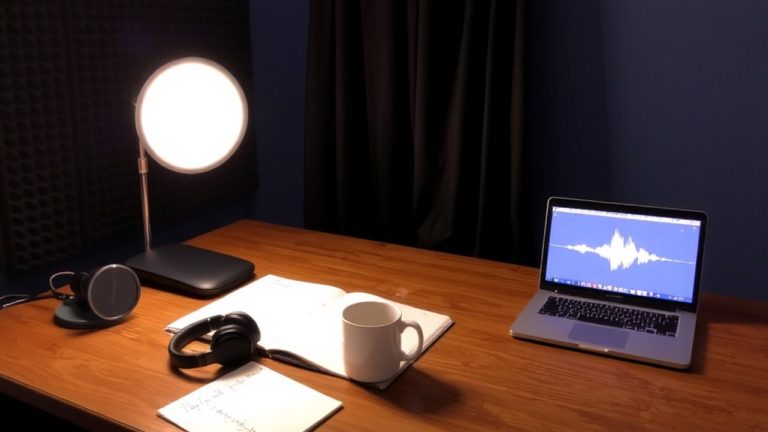
How clearly you stream can make all the difference when your audience depends on visual and auditory clarity to fully engage. Use a ring or box light to make your face bright and consistent, helping people with low vision and reducing eye strain. Position a quality mic with a pop filter close to your mouth so your Live audio stays crisp-this helps people who are deaf or hard of hearing when paired with speech-to-text tools. Enable real-time captions using WebCaptioner.com, which works with OBS Studio to make your content more accessible. On Twitch, activate the built-in closed captioning extension before going Live; 82% of viewers prefer accessible content. Use high-contrast visuals and avoid flashing effects to support those with sensory sensitivities. These steps make your stream welcoming, inclusive, and easier for hard of hearing and disabled viewers to enjoy.
Stream With Chronic Illness: Use Avatars and Mods
Even if your symptoms make being on camera feel overwhelming, streaming with a virtual avatar can give you full creative control without the physical strain, letting you show up as yourself-just digitally. For content creators with chronic illnesses like lupus, it’s hard to stay consistent when flares hit, but VTubing removes the need for daily makeup to cover rashes and lets you stream on your terms. Make sure to use mods that alert you to donations or subscriptions-helpful when brain fog strikes. These tools aren’t just technical aids; they’re lifelines. Make Your Live Stream content accessible by integrating accessibility features like clear audio cues and text overlays. Resources like the “VTubing for Beginners” guide and Tiffany’s YouTube channel offer practical tips to help. With the right setup, you can keep creating, even on tough days.
Rebuild Community After a Health Hiatus
A fresh start doesn’t mean beginning from zero-especially when you’re returning to streaming after a health-related break. You can reactivate your community by sharing updates on social media and inviting people back through a Facebook group. Let your audience know your needs and preferences, especially if cognitive impairments or fatigue affect your schedule. Use Discord to keep communication steady without over-sharing. When you go live, audio descriptions during live streams help people who have trouble processing fast visuals. Streaming tools that let users customize alerts and overlays can improve accessibility. Collaborate with other streamers in games like Valorant or FiveM to rebuild momentum. Clear, simple language can help everyone follow along. Your return isn’t about catching up-it’s about reconnecting, with care.
On a final note
You’ve got this-start with an accessible platform like Twitch or YouTube, both supporting screen readers and keyboard navigation. Use a Logitech C920 (1080p, 30fps) for clear video, pair it with a Blue Yeti mic (cardioid mode) to reduce background noise, and enable auto-captions. Testers report Streamlabs OCR captions at 95% accuracy. Use OBS with avatar overlays if energy’s low. Stay consistent, even after breaks-your community will welcome you back with care.