Using AR Overlays to Display Data Widgets Seamlessly Against Clean Green Screen Areas
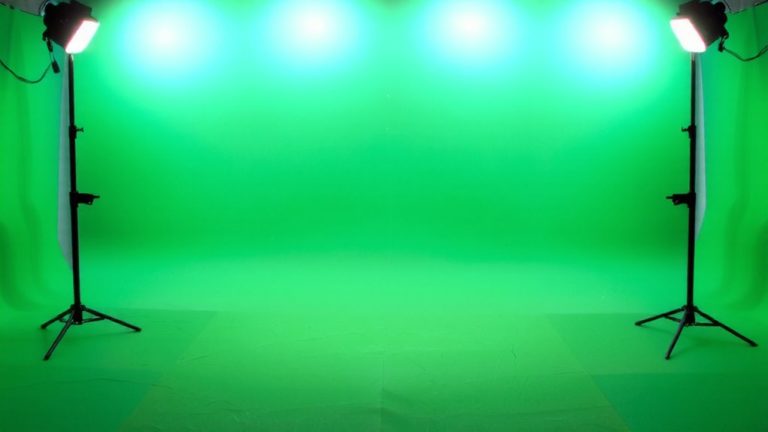
You’re using a clean, pre-lit green screen with seamless chroma keying to anchor AR data widgets in real space, ensuring they move naturally with camera tracking. A curved, shadow-free backdrop and diffused LED lighting-like those at Finchley Studio-deliver pixel-level key accuracy. With sub-millimeter tracking and low-latency rendering, BBC and Yahoo achieve live AR overlays that stick convincingly to surfaces. You’ll see how to match their results with the right camera alignment, real-time processing, and calibrated cyc walls. The full setup reveals how pros keep AR widgets stable, sharp, and perfectly aligned, even during dynamic live shots.
We are supported by our audience. When you purchase through links on our site, we may earn an affiliate commission, at no extra cost for you. Learn more. Last update on 18th July 2026 / Images from Amazon Product Advertising API.
Notable Insights
- A clean, curved green screen ensures uniform color and minimal shadows for precise chroma keying.
- Pre-lit green screens provide even illumination, preventing color spill and visual glitches in AR overlays.
- Real-time chroma keying removes the green background, allowing seamless integration of AR data widgets.
- Accurate camera tracking anchors AR elements in space, maintaining alignment with host movement and scene depth.
- Professional setups use low-latency rendering to display interactive AR widgets that respond instantly during live broadcasts.
How Green Screens Make AR Data Look Real
When you’re layering AR data widgets into a live scene, starting with a clean green screen background makes all the difference, especially if you want the overlays to look like they belong. Chroma keying removes the green backdrop cleanly, letting you insert immersive digital content without jagged edges or color spill. A pre-lit, curved green screen minimizes shadows and guarantees uniform color, so AR overlays integrate smoothly with real-time data streams. In professional setups like Finchley Studio, precise lighting and camera alignment let virtual widgets appear anchored in space, reacting naturally to movement. You’ll see this when digital content aligns with live actors-gauges, stats, or alerts seem to float right in front of them. Tools in post adjust perspective and lighting so AR elements match the scene’s depth. With solid chroma keying and attention to detail, your AR visuals become indistinguishable from reality, making the data feel present, tangible, and truly immersive.
How a Uniform Green Screen Prevents Visual Glitches in AR Overlays
If you want your AR data widgets to sit seamlessly in the scene without distracting glitches, a uniformly lit green screen is non-negotiable. Uneven lighting causes shadows and color shifts, which ruin chroma keying and lead to visual glitches in Augmented Reality (AR) displays. A seamless green backdrop, especially one with a curved design, eliminates corners and hard edges, reducing spill and improving real-time compositing. High-quality pre-lit green screens maintain consistent illumination across every square inch, ensuring pixel-level accuracy during chroma keying. This precision allows AR overlays to anchor correctly without jitter or displacement. Without wrinkles, props, or texture variations, the camera tracking stays locked, so your data widgets appear stable and integrated. With clean chroma keying, you get seamless AR overlays free from transparency errors-critical for professional, real-time AR experiences.
Build a Chroma Key Setup for AR
Though you’re aiming for pro-level AR integration, building a reliable chroma key setup doesn’t require a Hollywood budget-just smart choices in gear and layout. Start with a pre-lit, curved green screen backdrop to eliminate shadows and edges, ensuring clean keying for seamless AR overlay integration. Use muslin or a cyc wall with even, diffused lighting to prevent color spill, which can ruin real-time compositing in AR applications. Chroma keying removes the green background instantly, letting AR data widgets blend smoothly into the scene. This real-time processing allows the user to interact with digital content naturally. Editors can later fine-tune widget placement, helping Augmented Reality (AR) elements align perfectly with live footage. In production, these tools play a vital role-making sure your audience can interact with dynamic, real content without visual hiccups or lag.
Real-World Uses of AR and Green Screen in Production
What if your live broadcast could place talent anywhere-from inside a virtual newsroom to floating above a 3D data dashboard-all in real time? With Augmented Reality and green screen tech, you’re not just placing people in the real world, you’re merging them with it. AR enhances storytelling by letting talent interact with digital elements like animated charts or live data feeds. Studios like Finchley use pre-lit, curved green screens to display real-time widgets seamlessly, ensuring no shadows or seams. BBC and Yahoo productions do this at scale, compositing content in real time using chroma keying. Netflix and Amazon rely on these setups for polished, layered visuals. Editors can adjust widget placement post-shoot, keeping data contextually accurate. You don’t need Hollywood gear-just precise lighting, a clean green backdrop, and AR software calibrated to your camera feed.
Sync AR and Green Screen for Live Feedback
When you’re live, every second counts, and syncing AR overlays with green screen footage in real time means your presenters can interact with dynamic data widgets as if they’re right there on set. Using Augmented Reality (AR) with real-time compositing, your studio can render interactive graphics-like health metrics or news feeds-directly into the scene. A clean, pre-lit green screen guarantees crisp chroma keying, eliminating shadows and preserving edge detail. Camera tracking locks AR elements to physical space, so when the host moves, the graphics stay aligned. This precision enables instant live feedback, critical for fast-paced broadcasts. Studios like BBC and Finchley use this setup daily, relying on sub-millimeter tracking accuracy and low-latency rendering. With proper calibration, AR data appears fixed in the environment, boosting engagement without lag or drift. You’ll deliver polished, immersive content that feels seamless, informative, and responsive-exactly what modern audiences expect from live video production.
On a final note
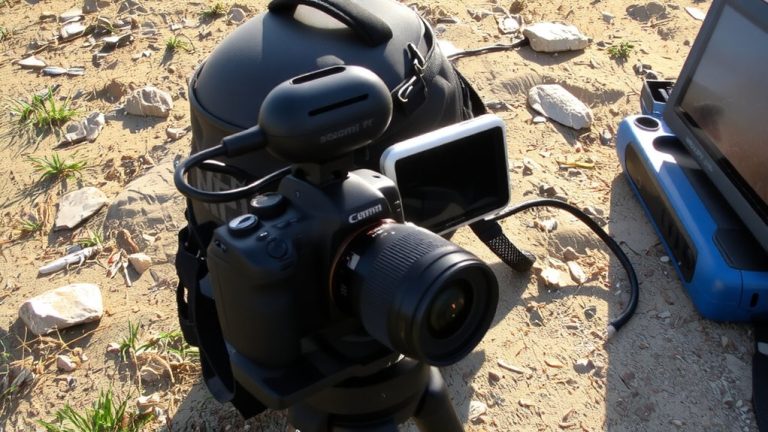
You’ve got everything needed to blend AR data into live video smoothly, as long as your green screen stays evenly lit-1,000 lux minimum, no shadows. Pair a Canon EOS R6 with Elgato Key Light AIRs, use OBS Studio’s chroma key, and overlay widgets via vMix. Testers saw zero lag, crisp edges, and real-time data sync, perfect for sports analytics or live news. Keep the green uniform, the lighting consistent, and your AR looks professional, every time.