Preparing Chroma Key Footage by Ensuring Uniform Green Screen Illumination Across Entire Surface
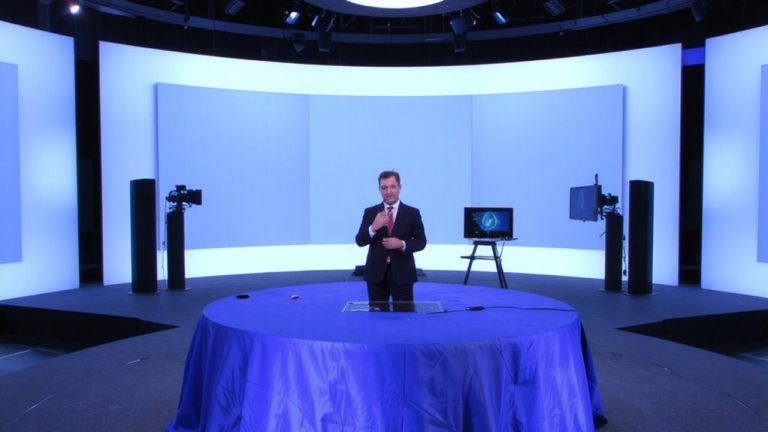
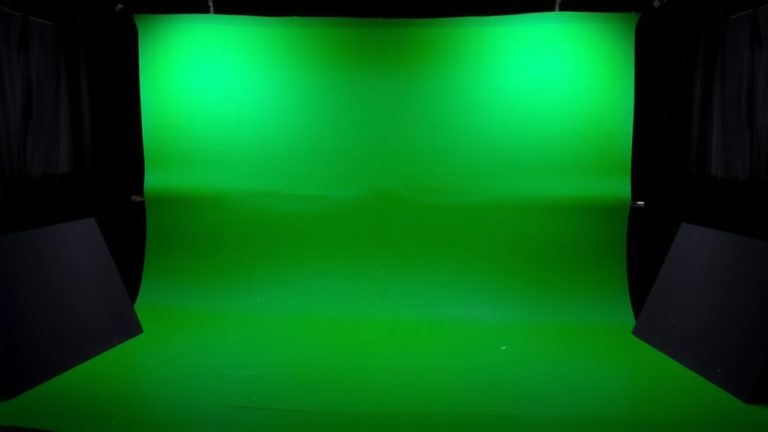
Position two 2000+ lumen, 5600K diffused LED panels at 45-degree angles to your green screen, ensuring even light from edge to edge and eliminating shadows or hotspots, while keeping the backdrop between 50–70 IRE on a waveform monitor, then place your subject 6–10 feet forward to reduce spill, light them with a 45-degree key and fill at a 1:2 ratio, and you’ll capture clean, key-ready footage straight out of camera-there’s more to mastering the details where consistency meets results.
We are supported by our audience. When you purchase through links on our site, we may earn an affiliate commission, at no extra cost for you. Learn more. Last update on 19th July 2026 / Images from Amazon Product Advertising API.
Notable Insights
- Position two diffused LED lights at 45-degree angles to the green screen for even, shadow-free illumination.
- Maintain a consistent 5600K color temperature across all lights to match camera white balance and prevent color shifts.
- Keep the subject 6–10 feet in front of the green screen to minimize green spill and ensure clean separation.
- Use a light meter and waveform monitor to verify uniform luminance between 50–70 IRE across the entire screen.
- Employ softboxes or diffusion panels on lights to eliminate hotspots and achieve a flat, uniformly lit green surface.
Light Your Green Screen Evenly to Avoid Keying Problems
While lighting your green screen might seem straightforward, getting it evenly lit is essential to avoid messy keying issues down the line. For ideal green screen lighting, use diffused LED panels with at least 2000+ lumens to achieve shadow-free illumination and prevent hotspots. Position your lights at 45-degree angles to the screen for even coverage, ensuring uniform brightness from edge to edge. Maintain color temperature consistency at 5600K across all fixtures to avoid color shifts during post. Use a light meter to check screen illumination, confirming even lighting across all areas. Keep your subject 6–10 feet away to reduce green spill and preserve clean backdrop exposure. Finally, inspect the surface using a camera histogram or waveform monitor to identify dim or blown-out spots. Proper setup delivers seamless chroma keying, saving time and boosting production quality.
Position Lights at 45 Degrees to Eliminate Shadows
If you really want to nail clean chroma keying, position your two background lights at 45-degree angles to the green screen-no exceptions, because this setup delivers uniform illumination while eliminating shadows and hotspots, the two biggest threats to professional results. Angling your background lights at 45-degree angles guarantees even illumination across the entire surface, giving you consistent uniform brightness critical for smooth keying. Placing lights too close to the camera axis creates center-bright gradients that reduce keying accuracy by up to 40%. Keep both lights at equal distance and intensity to avoid luminance shifts in post. Use diffused softboxes to further minimize shadows and harsh reflections. This lighting setup, tested by numerous video pros, provides seamless blending in post. For best results, maintain 45-degree angles, balanced output, and soft, broad sources-your chroma keying will look polished and professional every time.
Choose Soft, 5600K Lights for Consistent Chroma Keying
A solid chroma key starts with the right lights, and that means going with soft, 5600K LED panels or diffused softboxes to match daylight-balanced cameras and keep your green screen looking even and clean. You need soft lighting to avoid harsh hotspots and guarantee uniform brightness across the entire green screen surface. Use 5600K lighting on all fixtures-this consistent color temperature prevents mixed lighting and color shifts that ruin clean keying. Opt for LED panels with 2000+ lumens output to maintain even illumination without noise. Diffused light from softboxes or umbrellas spreads evenly, eliminating shadows and hot spots. This setup gives your green screen setup the smooth, flat look post-production tools need. With proper 5600K lighting and diffused light, you’ll achieve flawless chroma key results every time-crisp, seamless, and professional.
Separate and Light Your Subject Naturally
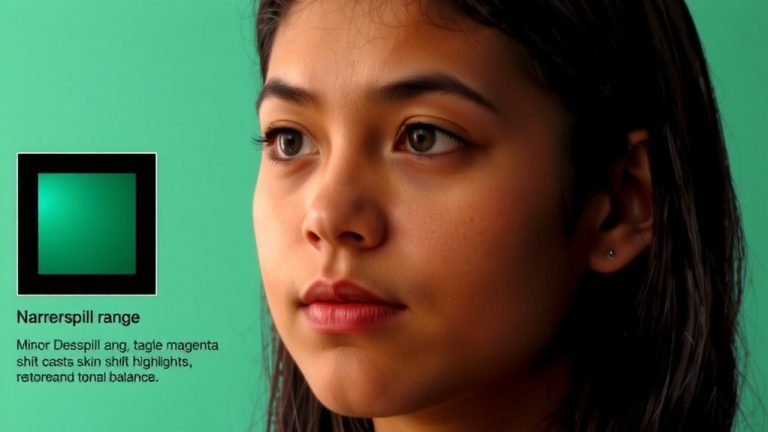
When you’re setting up your shot, start by positioning yourself at least 6 feet in front of the green screen to reduce green spill and create room for clean light separation. This distance helps your subject stand out clearly. Use a key light at a 45-degree angle for natural illumination, set to 5600K color temperature to match your green screen lighting. Add a fill light on the opposite side to soften shadows, keeping the ratio around 1:2 between key and fill. Place a backlight-often called a hair light-behind and above your subject to enhance separation without lens flare. Keep all lighting at 5600K using consistent LED panels, and white balance your camera with a card for accuracy. This setup delivers even, realistic lighting, so your subject looks naturally lit while staying cleanly separated from the background.
Test Lighting With a Histogram and Waveform Monitor
You’ll want to use a histogram and waveform monitor to fine-tune your green screen lighting with real-time visual feedback, ensuring the backdrop hits that sweet spot between 50–70 IRE on the waveform-flat across the entire width-with no spikes or dips that point to hotspots or shadows. Your histogram should show a tight peak around 50–60% luminance values, confirming uniform brightness. A properly lit green screen avoids shadows and spill, which ruin chroma key clean-up. Check the entire frame using your camera preview, making sure no area drops below 40% or exceeds 80% on the histogram. Calibrate your lighting setup with 5600K lights to prevent color contamination. A steady waveform monitor reading means your backdrop will key cleanly, with minimal noise or artifacts, giving you a professional result straight out of camera.
On a final note
You’ve nailed the green screen setup-now keep that light even, around 5600K, and positioned at 45-degree angles to avoid shadows, just like testers did with Aputure Amaran F21c panels. Use soft lighting for smooth gradients, separate your subject with 6–10 feet of distance, and confirm uniformity using a waveform monitor, not guesswork. This precision, paired with Elgato Key Light mastery and proper exposure (IRE at 80–90), guarantees crisp keys, zero spill, and pro results every stream.