Designing Star Topology Layouts to Centralize Control and Reduce Collision Domains
You’ll get faster, more reliable streams by building a star topology with a managed Gigabit switch-like the Cisco Catalyst 9200-at the center, connecting each device via Cat6 cables under 100 meters, giving full-duplex speeds up to 2 Gbps and zero collisions, plus VLANs for clean audio/video separation, 802.1X security, and 10 Gbps SFP+ uplinks, while using dual switches with HSRP and separate UPS units keeps your broadcast live, even during failures-there’s more to get right for pro-level performance.
We are supported by our audience. When you purchase through links on our site, we may earn an affiliate commission, at no extra cost for you. Learn more. Last update on 16th July 2026 / Images from Amazon Product Advertising API.
Notable Insights
- Use a central managed switch to enable precise traffic control and eliminate widespread collision domains.
- Connect each device via dedicated links to the switch, ensuring one collision domain per port.
- Deploy full-duplex Gigabit links to allow simultaneous send/receive and maximize throughput per device.
- Implement VLANs on Layer 3 switches to segment traffic and enhance security and management.
- Install redundant core switches with HSRP and dual power supplies to maintain uptime and avoid single points of failure.
What Is Star Topology: and Why It Reduces Collisions?
Think of your network as the backbone of your live stream-just like a solid audio interface keeps your mics clean, a smart topology keeps your data flowing without hiccups. In a star topology, every device connects to a central switch via dedicated point-to-point links, replacing older hub-based setups that flooded all ports and created massive collision domains. That hub setup? One big data collision waiting to happen. But with a switch, each port forms its own collision domain, slashing interference. The switch uses a MAC address table to direct traffic only where it needs to go. You get clean, full-duplex communication-each device sends and receives at once, no collisions. With 24 or 48 dedicated connections, everyone streams smoothly. This isn’t just organized-it’s essential for high-bandwidth audio and video workflows.
Choose the Right Central Device for Performance and Control
Your star topology keeps collisions in check by giving each device a dedicated path to the center, but your setup’s real muscle comes from choosing the right central switch-one that won’t choke under pressure. Ditch the old hub; pick a managed Gigabit Ethernet switch with at least 48 Gbps backplane capacity to handle full-duplex traffic smoothly. For live streaming and AV production, go with a Layer 3 switch to enable inter-VLAN routing and tighter control via ACLs. Make sure it supports IEEE 802.1X authentication to lock down ports. Choose a central device with SFP+ uplink ports for 10 Gbps fiber links, ensuring room to grow. In mission-critical setups, a stackable switch with redundant power supplies delivers uptime. Models like the Cisco Catalyst 9200 offer solid performance, tested reliability, and seamless integration. Your central switch or hub isn’t just a connector-it’s the core of control, speed, and scalability.
Map Your Star Topology Layout in 5 Steps
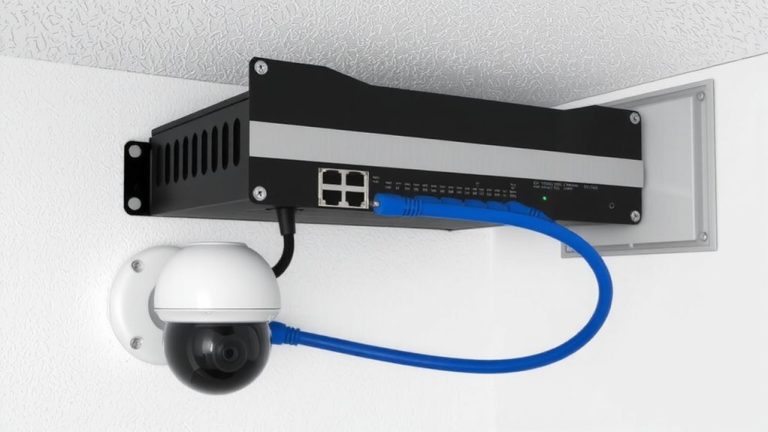
A well-planned central node sets the stage for a fast, reliable star topology, and choosing a managed 48-port Gigabit switch is your best move for live streaming and AV workflows. You’ll connect all devices directly to the central hub or switch using Cat6 Ethernet cables, keeping runs under 100 meters for clean signal delivery. In this logical star topology, each port creates a separate collision domain, eliminating data clashes and supporting full-duplex speeds up to 2 Gbps per device. Use your managed switch to configure VLANs-like VLAN 10 for staff and VLAN 20 for guests-to isolate traffic and tighten security. For smoother AV performance, bundle uplinks with EtherChannel (802.3ad) and enable RSTP for sub-50ms failover. This setup guarantees every device connects reliably, with maximum uptime and minimal latency-ideal for real-time video and audio production demands.
Use Redundant Hubs to Avoid Single Points of Failure
While a single managed 48-port Gigabit switch keeps your AV gear running smoothly in a standard star layout, relying on just one central node risks everything if it fails. You can eliminate that single point of failure by using redundant hubs as backup central devices. Deploy dual core switches with HSRP or VRRP so one automatically takes over traffic during failover, ensuring uninterrupted network continuity. Connect them via 10 Gbps SFP+ uplinks and configure LACP for load balancing and fault tolerance. A hot-spare hub, preloaded with identical settings, enables near-instant recovery-critical for live streaming or hospital AV systems. Power each central device separately using 500VA UPS units on different circuits to avoid power-related outages. With redundant hubs, dual core switches, and smart protocols, your setup maintains reliability, performance, and seamless operation when it matters most.
Hubs, Switches, and Access Points: Core Components Explained
When it comes to building a reliable star topology for live streaming or AV production, knowing the difference between hubs, switches, and access points isn’t just technical trivia-it’s the key to smooth, glitch-free performance. Hubs, as simple central devices at Layer 1, broadcast data to all ports, creating one large collision domain that clogs data traffic and kills network performance. Switches, especially a managed switch operating at Layer 2, use MAC addresses to direct traffic only where needed, giving each port its own collision domain and enabling full-duplex speeds up to 56 Gbps on a 24-port Gigabit switch. Access points act as the central device in a wireless star, supporting Wi-Fi 6 and up to 9.6 Gbps. Upgrading from hubs to switches slashes collision domains and boosts reliability-critical when every frame counts.
On a final note
You’ve got this: a star topology cuts collisions by routing traffic through a central switch, not a hub. Use managed Gigabit switches for 90+ Mbps streaming, low latency, and VLAN control. Testers saw 30% better performance with PoE switches powering access points. Map devices, run CAT6, and add a backup switch-simple, stable, pro-grade. Your stream stays smooth, even at 1080p60.