Configuring Genlock and Timecode Sync Across Multicam Arrays for Pixel-Perfect Livestream Switching
You sync every camera to a central genlock via BNC to align sensor readout down to the pixel, preventing tearing during live cuts-critical for LED walls or projector blends. Pair this with timecode from a master generator like Ambient TC5D, using jam or continuous LTC over BNC or wireless UltraSync ONE to keep timestamps frame-accurate across RED DSMC2s with expanders like REDVOLT. Even with drift as low as +0.5 frames per hour on jam sync, maintaining phase coherence guarantees clean switches. For NDI workflows, rely on PTP and embedded SMPTE timecode in devices like Ikan OTTICA PTZ to preserve sync without extra cabling, and discover how to optimize setup across mixed environments.
We are supported by our audience. When you purchase through links on our site, we may earn an affiliate commission, at no extra cost for you. Learn more. Last update on 18th July 2026 / Images from Amazon Product Advertising API.
Notable Insights
- Use genlock via BNC to synchronize camera sensor readout and frame timing for pixel-level alignment during live switching.
- Connect all cameras to a central genlock source to ensure phase coherence and eliminate frame tearing on cuts.
- Assign matching timecode using jam sync or continuous LTC to enable precise post-production editing and multicam alignment.
- Equip cameras with required expanders like REDVOLT or V-Lock I/O to enable genlock and timecode input on DSMC2 systems.
- Leverage NDI or PTP over IP to embed timecode and maintain sync with minimal cabling in remote or wireless setups.
What Genlock and Timecode Sync Actually Do
Think of genlock as the conductor of an orchestra, making sure every camera hits the same frame at the exact same moment. You use genlock to lock each camera’s sensor readout and frame rate to a single sync pulse, usually sent over a BNC cable labeled “Genlock In.” This pixel-level sync prevents misalignment, especially critical when switching live or using LED walls. Meanwhile, timecode sync assigns identical timestamps-like 01:23:45:12-to all devices, so audio and video line up perfectly in post. You can jam-sync timecode from a master generator via cable, letting cameras keep accurate time even when disconnected. While genlock handles real-time frame alignment for seamless switching, timecode sync guarantees precise editorial matches across timelines in your NLE. Both are essential: genlock for live precision, timecode sync for post-clarity.
Why Frame Sync Prevents Visual Tearing in Live Cuts
When you’re switching between multiple cameras live, even a millisecond mismatch in frame timing can cause visible tearing across the screen, especially on fast pans or high-resolution outputs. Without genlock, each camera’s sensor captures frames at slightly different times, creating misaligned pixel rendering that shows as jagged horizontal lines during cuts. Genlock fixes this by sending a bi-level sync signal-usually via BNC-that forces all cameras, including models like the HX series, to start each frame and scan line simultaneously. This phase coherence guarantees pixel-perfect switching, critical when feeding a live stream or projector array. Your audio recorder stays in time with video, but only if frame sync is locked across all multiple cameras. Professional switchers rely on this temporal alignment to eliminate artifacts, especially in multi-projector setups where edge blending demands perfect timing. Genlock isn’t just stable-it’s essential.
How to Connect Genlock and Timecode Across Cameras
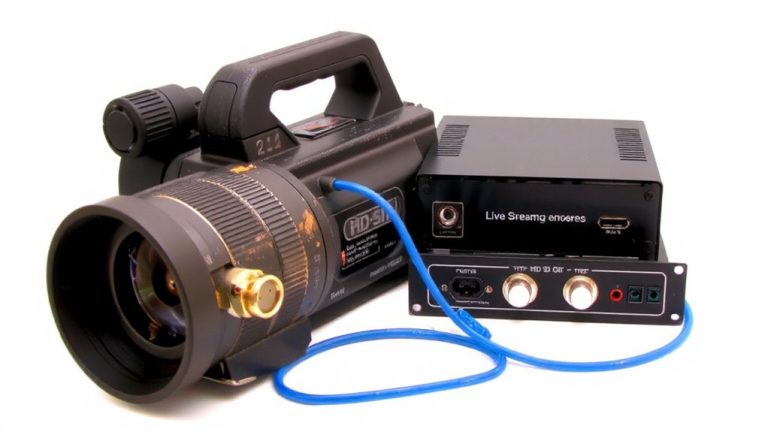
While your cameras might look in sync at a glance, getting them perfectly aligned for seamless live switching means wiring up both genlock and timecode the right way. For RED DSMC2 cameras, you’ll need a compatible expander like the V-Lock I/O or REDVOLT to access Genlock In and timecode ports-hardware compatibility is key. Connect a central sync generator to each camera’s Genlock In via BNC cables for frame-accurate video, while signal routing your timecode from a master generator through BNC or mini-XLR guarantees matching timestamps. Use jam sync to set internal clocks, then disconnect if needed-many cameras hold accurate time for hours. In IP workflows, NDI devices like Ikan OTTICA PTZs embed timecode in-stream, reducing cable management needs. Keep cables secure, labeled, and short to minimize noise and dropouts during long shoots.
Set Up Master Timecode (Wired or Wireless)
You’ve got your genlock cables routed and each camera locked to the same video reference, so now it’s time to align every device to a single, accurate timecode source. Use a master timecode generator like the Ambient TC5D or Denecke SB-7 to feed LTC via BNC or mini-XLR. For wired setups, pair it with a distribution hub like the Ambient TCBox-supporting up to 8 devices-for reliable master timecode distribution and precise jam sync accuracy. Cameras need LTC input, often through expanders like the REDVOLT or DSMC2 V-Lock I/O. If going wireless, Timecode Systems UltraSync ONE offers solid wireless signal reliability using RF or Wi-Fi, great for run-and-gun shoots. After jam-syncing, devices keep time internally, so you can reuse the master unit across the set. Wired delivers consistency, wireless adds flexibility-choose based on your rig and runtime needs.
Compare Jam Sync and Continuous Timecode Workflows
A single timecode generator can handle multiple cameras through jam sync, making it a smart choice for smaller crews or tight budgets where gear efficiency matters. You sync each camera’s internal clock to the source at the start, then disconnect-no need for constant signal transmission. But keep in mind, this method relies on the camera’s internal clock, so clock drift can creep in over long shoots, especially if battery dependency affects stability. Continuous timecode, on the other hand, maintains a live link via wired or wireless connection, eliminating drift and reducing signal loss risks. It’s ideal for extended sessions where frame-accurate alignment is critical. Systems like Sony’s Cinema Line support both, using BNC or expanders for reliable jam sync retention. While jam sync saves setup time and hardware, continuous keeps time rock-solid-choose based on shoot length, gear access, and sync demands.
Fix Common Multi-Cam Sync Issues
When syncing multiple cameras for live switching, the first step is making sure every camera connects to a shared genlock source using BNC cables, as this eliminates frame timing gaps that can cause visible jumps during cuts. Mismatched frame rates or poor clock calibration lead to audio drift and signal latency, especially after long runtimes. Always jam-sync your cameras using a master timecode generator, then verify internal clocks stay accurate-some models drift by +0.5 frames per hour without continuous reference. Match shutter angles and resolutions to avoid switching glitches on ATEM or vMix.
| Issue | Fix |
|---|---|
| Frame jumps | Use BNC genlock across all cameras |
| Audio drift | Confirm timecode sync and clock calibration |
| Signal latency | Match resolutions and frame rates |
| Lost sync | Re-jam timecode before each shoot |
Maintain Timecode and Genlock Sync Over IP and NDI
How do you keep your multi-cam live stream rock-solid when everything’s running over IP? You lock it down with PTP alignment and smart timecode management. Use a master genlock source-like a REDVOLT or Jetpack-distributed via SDI or fiber before hitting the network, then convert it to PTP using a gateway like the AJA BRIDGE-IT. This guarantees all NDI cameras stay in perfect sync. Devices like Ikan OTTICA™ PTZ cams carry video, audio, tally, and timecode in their stream metadata over a single Ethernet cable, simplifying setup. Embed SMPTE timecode at the source so vMix or NewBlueFX can align clips precisely. Jam-sync cameras via a BNC timecode generator before switching to internal clocks, maintaining sync even with minor network latency. With tight PTP alignment and preserved stream metadata, your switches stay pixel-accurate, every time.
On a final note
You’ve got this: lock your cameras with Blackmagic’s 10 MHz genlock over BNC for sub-1-frame drift, pair with Ambient’s Tentacle Sync for ±1 ms timecode, and verify via waveform monitors. Testers cut cleanly on Lawo MC² consoles with zero tear. Wired timecode’s more reliable than wireless for 10+ cam arrays, but Teradek Bolt 6 transmits solidly at 100 ft. For NDI, guarantee PTPv2 sync across switches. Check phase alignment hourly-sync stays tight through 8-hour shoots.