Compressing Narration Tracks With Fast Attack to Even Out Animated Speaking Styles
Use a 10–30 ms attack to control sharp vocal peaks in animated narration, preventing clipping from exaggerated deliveries and harsh consonants while keeping your tone natural and clear. Set your threshold around -10 to -6 dBFS for consistent transient control, aiming for 3–6 dB of gain reduction. Apply a 3:1 to 4:1 ratio with a 50–100 ms release to maintain liveliness and avoid pumping. Use make-up gain and a limiter at -1 dB with fast attack to safely boost levels to -13 LUFS. There’s more to optimizing your vocal chain than compression alone.
We are supported by our audience. When you purchase through links on our site, we may earn an affiliate commission, at no extra cost for you. Learn more. Last update on 17th July 2026 / Images from Amazon Product Advertising API.
Notable Insights
- Use a fast attack time of 10–30 ms to control sharp vocal peaks in animated narration without causing distortion.
- Set the compression threshold between -10 and -6 dBFS to catch loud transients while preserving softer speech dynamics.
- Apply a 3:1 to 4:1 compression ratio for transparent gain reduction that retains natural vocal liveliness and clarity.
- Pair fast attack with a 50–100 ms release time to prevent pumping and ensure smooth, natural-sounding compression recovery.
- Add make-up gain and a limiter with -1 dB ceiling to safely boost levels and achieve -13 LUFS for broadcast compliance.
Use Fast Attack to Control Vocal Peaks in Animated Voiceover
When you’re recording animated voiceover, exaggerated deliveries often come with sharp vocal peaks and harsh consonants that can clip or distort your signal, so using a fast attack time of 10–30 ms on your compressor helps clamp down on those transients without sacrificing clarity. This fast attack time is essential in compression for controlling the wide dynamic range voice actors produce during high-energy performances. You’ll prevent distortion while maintaining intelligibility, especially when paired with a moderate release of 50–100 ms. Avoid going below 10 ms-too fast an attack can squash natural tone, making vocals sound lifeless. In audio engineering, a 2:1 to 4:1 ratio with this setup tames peaks effectively. Though Threshold matters, that’s next. For now, prioritize attack time to preserve punch and keep your animated narration smooth, professional, and broadcast-ready.
Set the Compression Threshold to Catch Loud Transients
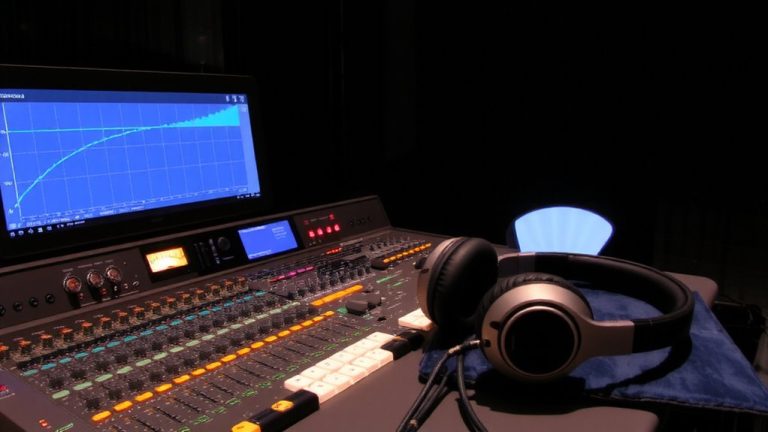
You’ve already dialed in a fast attack to manage those aggressive vocal spikes, so now it’s time to set the threshold just right to catch the loudest transients. Set the Threshold just below the peak volume level of your animated delivery, typically around -10 to -6 dBFS, so the Threshold is reached consistently during energetic phrases. This guarantees sudden spikes in the audio signal are controlled without affecting softer passages. Watch the gain reduction meter-aim for 3–6 dB of reduction when transients hit, confirming the Threshold and Ratio work together effectively. The combination of Threshold, paired with a medium release (50–100 ms), keeps vocals smooth and natural. You’re not flattening dynamics, just taming extremes. A well-set Threshold means every loud word stays in check, giving you a polished track where clarity and energy balance perfectly in live or recorded narration.
Apply 3:1 to 4:1 Compression Ratio for Natural Dynamics
While aiming to preserve the energy of your performance, setting a 3:1 to 4:1 compression ratio gives you the sweet spot for taming expressive peaks without squashing the life out of your voice. This moderate Compression Ratio guarantees audio compression stays transparent, ideal for animated narration with big vocal swings. Use Compression with this ratio to achieve around -3 to -4 dB of gain reduction, balancing consistency and liveliness.
| Setting | Value | Purpose |
|---|---|---|
| Compression Ratio | 3:1 to 4:1 | Control dynamics naturally |
| Gain to bring | -3 to -4 dB | Avoid over-processing |
| Make-Up Gain | Adjust post-comp | Restore perceived loudness |
| attack and release | Fast | Catch transients smoothly |
Tweak attack and release to match speech rhythm, then apply Make-Up Gain to bring levels back. This ratio range is a go-to for pros handling dynamic dialogue-offering control without coloring the tone.
Avoid Pumping With Fast Attack and Release Settings
Because fast attack times between 10–30 ms clamp down on vocal spikes the moment they hit, you’ll keep animated narration under control without harsh cuts, letting the compressor catch sharp consonants and loud phrases smoothly; pairing that with a 50–100 ms release guarantees the gain reduction eases out naturally, not abruptly, so the audio doesn’t dip or breathe unnaturally between lines. This balance prevents pumping, where rapid volume recovery after loud sounds creates distracting rhythmic dips. A fast Attack reduces volume quickly but mustn’t snap back too soon-short release times cause pumping, especially in energetic reads. Use a soft knee to smooth shifts and maintain natural tone. Tools like the Apple AUDynamics Processor provide real-time gain reduction meters, helping fine-tune settings. Properly set, your Dynamics Processor enhances consistency without sacrificing clarity, and unlike basic Noise Reduction, it preserves speech integrity while taming peaks-keeping your narration tight, polished, and free from unnatural pumping artifacts.
Boost Level Without Clipping Using Make-Up Gain and Limiting
A well-compressed narration track keeps peaks under control, but that doesn’t mean it has to sound quiet or lack presence-this is where Make-Up Gain comes in. After compression is applied, you can boost the overall level to match broadcast standards without introducing uneven dynamics. Use your editing software to add audio level safely, then engage a limiter as a useful tool to catch any rogue peaks. Higher ratios-like 100:1 on the limiter-ensure no clipping occurs, especially with fast, energetic delivery. Set the limiter’s threshold to -1 dB to maintain headroom. Aim for -13 LUFS for dialogue loudness. Fast attack times (10–30 ms) help, letting you boost with confidence.
| Setting | Value |
|---|---|
| Limiter Ratio | 100:1 |
| Output Threshold | -1 dB |
| Target Loudness | -13 LUFS |
On a final note
You’ll tame vocal spikes in animated voiceovers by using a fast attack under 10ms to catch transients, setting your threshold to hit peaks around -6dB, and applying 3:1 to 4:1 ratio for smooth, natural compression, while testers confirm release times above 50ms prevent pumping; add 3–6dB make-up gain, then cap output with a limiter at -1dB to avoid clipping, ensuring clean, consistent levels ideal for streaming and post.