Best Daw for Voice Over
You need a DAW that handles 48 kHz+ recording, offers clean EQ, compression, and noise reduction, and exports 24-bit WAV and 16-bit MP3s-Adobe Audition delivers all this with spectral editing, real-time effects, and seamless Premiere Pro sync, making it the top professional pick, while Reaper gives you full VST/AU support and rock-solid stability for just $60, ideal if you’re on a budget and want broadcast-ready results without bloat or recurring fees-both pair perfectly with USB and Thunderbolt interfaces for zero-latency monitoring, and there’s more to match your workflow and gear.
We are supported by our audience. When you purchase through links on our site, we may earn an affiliate commission, at no extra cost for you. Learn more. Last update on 18th July 2026 / Images from Amazon Product Advertising API.
Notable Insights
- Adobe Audition offers professional tools like spectral editing and Premiere Pro integration for high-quality voiceover work.
- Reaper provides exceptional value with a $60 license, VST/AU support, and rock-solid performance for voiceover editing.
- Audacity is a free, cross-platform DAW suitable for basic voiceover tasks but lacks preset and effect chain saving.
- GarageBand is a user-friendly, free Mac option with real-time previews and preset support for beginner voiceover projects.
- TwistedWave excels on iOS with precise editing, noise reduction, and high-res export for mobile voiceover recording.
Core Features Every Voiceover DAW Must Have
When it comes to voiceover work, your DAW isn’t just software-it’s your studio backbone. You need high-resolution recording at 48 kHz or higher to hit broadcast standards, and PRO TOOLS nails this right out of the box. It gives you essential processing like EQ, compression, noise reduction, and normalization to -3 dB RMS-tools you’ll use daily. Non-destructive editing means you can tweak timing, levels, or tone without ruining your original take. Exporting’s hassle-free with bit depth control: 24-bit WAV for archive, 16-bit MP3 for clients. PRO TOOLS also integrates smoothly with USB and Thunderbolt interfaces, so your mic feeds clean audio with low-latency monitoring. You’re not just recording-you’re building polished, professional performances, take after take, without technical hiccups. It’s built for precision, speed, and real-world reliability.
Adobe Audition: Professional Editing for Voiceover
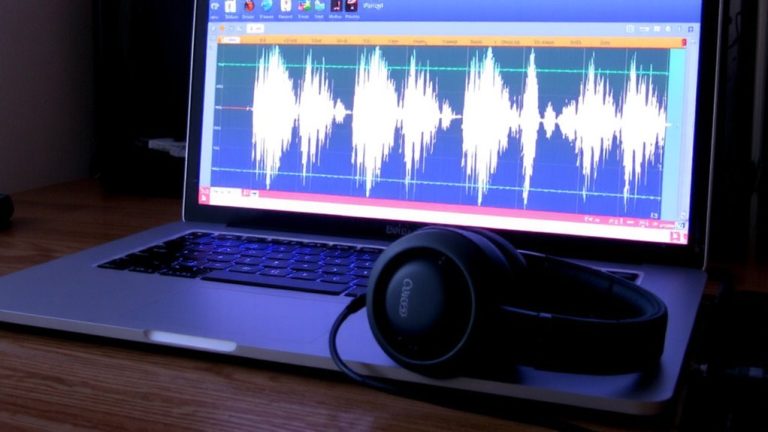
A precision editing powerhouse awaits in Adobe Audition-your go-to DAW if you’re serious about voiceover work. As an industry standard, it gives you dual-view editing, so you can tweak audio in both waveform and spectral displays, the latter showing frequencies from 100 Hz to 20,000 Hz with brightness for loudness-perfect for zapping clicks or cleaning breath noises. You’ll love how it syncs seamlessly with Adobe Premiere Pro, so voiceover edits update in real time for video projects. Customize presets for EQ, compression, and noise reduction, then apply them across sessions to keep your sound consistent. It’s subscription-only, at $20.99/month on an annual plan or $31.49/month month-to-month, but the 30-day free trial lets you test everything first. With pro tools, precise spectral editing, and deep integration, Audition isn’t just powerful-it’s built for real, efficient voiceover production.
Audacity Vs GarageBand: Free DAWs Compared
You’ve got options beyond the pro-level polish of Adobe Audition, especially if you’re just starting out or keeping costs low. Audacity and GarageBand are both free, but they serve different needs. Audacity, available on Windows, Mac, and Linux, gives you full control with basic recording and editing tools-perfect for learning the ropes. While GarageBand comes free on Macs and offers EQ, compression, and noise gates, it shines with saveable presets for consistent voiceover processing. Audacity lacks real-time effect preview and doesn’t save effect chains, meaning you reapply them manually-great for learning, not for speed.
| Feature | Audacity | GarageBand |
|---|---|---|
| OS Support | Win, Mac, Linux | Mac only |
| Presets | No | Yes |
| Real-time Preview | No | Yes |
| Export Formats | MP3, WAV | MP3, WAV |
Neither supports VSTs smoothly, but Audacity remains a solid, no-cost entry point.
TwistedWave: Best iOS App for Voiceover Recording
For voiceover artists who need a powerful, portable solution, TwistedWave stands out as the top iOS app for professional-grade recording and editing. You can start with the free version for basic recording, but the $9.99 full version activates precise waveform editing, noise reduction, and high-resolution WAV and MP3 exports-perfect for polished deliverables. It’s stable, intuitive, and works seamlessly with external mics or audio interfaces plugged into your iPhone or iPad. Frequent updates and excellent support keep it reliable, while cross-device sync with the $79.99 Mac version makes moving projects smooth. Testers praise its responsive interface and real-time editing precision, especially in tight turnaround scenarios. If you’re recording on location or need a streamlined mobile workflow, we highly recommend TwistedWave for its pro features, consistent performance, and tight iOS integration. It’s the go-to app for voiceover quality on the go.
Reaper: Best DAW for Voiceover on a Budget
While TwistedWave keeps your iOS setup tight and mobile-ready, turning to a desktop environment opens up even more control for voiceover work-and Reaper delivers that power without the steep price tag. You get a full-featured, professional-grade DAW with a one-time $60 license, ideal if you’re starting out or working on a budget. Reaper supports both VST and AU plugins, so you can fine-tune vocals with EQ, compression, and noise reduction from your favorite third-party tools. It’s lightweight, runs smoothly on both Mac and Windows, and handles long-form recordings with ease. Testers praise Reaper for its stability and multitrack editing efficiency, noting zero crashes during extended sessions. You can try it risk-free with a 60-day full-featured trial-no account needed. And even if you earn over $20,000 a year using it, the $225 commercial license still offers serious value.
Is Pro Tools Overkill for Home Studio Voiceover?
Though Pro Tools reigns supreme in high-end studios for film, TV, and music production, it’s often overkill for home studio voiceover work where simplicity and efficiency matter most. You don’t need deep multitrack editing or $599 perpetual pricing when you’re recording audiobooks, narration, or commercials. For voiceover-only tasks, Pro Tools’ steep learning curve and $29.99/month cost add complexity and expense without real benefit. Lightweight DAWs handle your needs better, with faster workflows and friendlier interfaces.
| Feature | Pro Tools | Simpler DAWs |
|---|---|---|
| Track Needs | 128+ tracks | 1–4 tracks |
| Learning Curve | Steep | Gentle |
| Monthly Cost | $29.99 | $0–$15 |
| Plugin Demands | High | Low |
| Editing Focus | Multitrack mixing | Basic cleanup |
Choosing Your Voiceover DAW by Need and Budget
You’ve seen how Pro Tools packs power that most voiceover work simply doesn’t need, especially in a home studio where speed, simplicity, and cost matter. If you’re just starting, Audacity’s free, open-source platform offers basic recording and editing tools-great for tight budgets, though it lacks real-time effect previews. Mac users should try GarageBand, it’s free, intuitive, and saves presets, perfect for beginners. For serious work, ADOBE AUDITION at $20.99/month delivers dual-view editing, noise reduction, and smooth Premiere Pro integration, ideal if you edit voiceovers alongside video. Students get a discount, making it even more accessible. Reaper is a standout value-$60 for a perpetual license, supports VST/AU plugins, multitrack editing, and includes a 60-day free trial. It’s powerful, flexible, and widely preferred by pros who want control without recurring fees.
On a final note
You’ve got options, and they’re better than ever. Adobe Audition delivers crisp 24-bit/192kHz editing with spectral repair, ideal for pro narrations. Reaper handles that same resolution for under $60, trusted by voice artists for tight budgets. TwistedWave nails on-the-go iOS recording with low-latency ASIO support. Free tools like Audacity and GarageBand? Still solid for 16-bit/48kHz work, especially with a $100 USB mic. Pick based on workflow, not hype-clarity, ease, and export speed matter most.