Optimizing Camera-to-Subject Distance for Natural Facial Proportions in Wide-Angle Livestream Shots
You’re distorting your face without realizing it-get at least 1.5 meters (5 feet) from your wide-angle webcam or smartphone, which typically uses 17–35mm lenses. At closer ranges, your nose appears up to 30% larger than your ears due to perspective distortion, not lens flaws. For natural proportions, step back to 2–4 meters and use a 50mm equivalent focal length if possible. This setup flattens perspective, balances features, and eliminates warping-even when cropping. Ideal distance with eye-level framing changes everything, and there’s more to get right.
We are supported by our audience. When you purchase through links on our site, we may earn an affiliate commission, at no extra cost for you. Learn more. Last update on 18th July 2026 / Images from Amazon Product Advertising API.
Notable Insights
- Maintain a camera-to-subject distance of 1.5–4 meters to minimize facial distortion in wide-angle livestreams.
- Avoid shooting closer than 1.5 meters to prevent exaggerated nose size and unnatural facial proportions.
- Use a focal length of 50mm or longer to achieve accurate facial representation from a natural distance.
- Position the camera at or slightly above eye level for balanced and flattering facial perspective.
- Stepping back compensates for wide-angle lens effects, reducing distortion even when using short focal lengths.
How Distance Changes Facial Appearance
When you shoot up close with a wide-angle lens, you’re likely distorting facial features without realizing it-especially the nose, which can appear up to 30% larger than it should relative to the ears and eyes due to pronounced perspective distortion. This happens because wideangle lenses, especially those with a short focal length like 17–35mm, exaggerate depth when the camera-to-subject distance is under 1.5 meters (5 feet). At this range, facial features closest to the lens-like the nose-dominate the frame unnaturally. Even if you crop in later, the distortion remains, making edits futile. Testers using webcams or mirrorless cameras on tripods consistently noticed flatter, more natural proportions when stepping back to 1.5–4 meters. That extra distance minimizes perspective distortion, balancing facial features with accuracy. For livestreamers, this small adjustment, paired with a slightly longer focal length, delivers truer on-camera appearance-no filters or postproduction needed.
Best Camera Distances for Livestreams
Though you might be tempted to bring the camera close for a tighter shot, keeping it between 1.5 and 4 meters (5 to 13 feet) from you drastically improves facial accuracy on stream-particularly with the wide-angle lenses built into most webcams and smartphones. This distance, combined with proper lighting, helps create a good portrait by minimizing distortion. Use a longer focal length-like 85–135mm equivalent-if possible, to maintain flattering facial proportions. Favor camera angles slightly above eye level for a natural look.
| Distance | Effect on Face |
|---|---|
| <1.5 m | Nose appears larger, distorted |
| 1.5–2 m | Slight stretch, manageable with crop |
| 2–3 m | Balanced, natural proportions |
| 3–4 m | Ideal for wide-angle lens correction |
Why Wide-Angle Lenses Warp Faces
You’ve probably noticed how your face looks off when streaming from too close-your nose seems huge, your ears shrink, and the whole image feels stretched, especially with the built-in webcam on your laptop or phone. That’s not just cheap lenses-it’s perspective distortion caused by being too near the camera. Wide-angle lenses, common in webcams and phones (usually under 35mm), exaggerate this effect because they capture more of the scene, requiring you to stay close for full framing. But at distances under 1.5 meters (5 feet), facial proportions go haywire: features closer to the lens, like your nose, appear unnaturally large. Contrary to popular belief, this lens distortion isn’t a flaw-it’s how optics work. The wider field of view amplifies depth differences, warping features, especially near the frame edges. Understanding this helps you avoid unflattering shots.
How to Set Up Your Livestream Camera
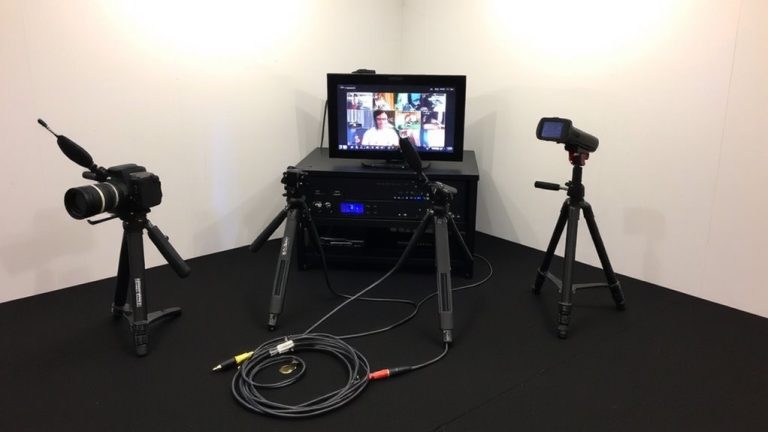
If you want your face to look natural and balanced on camera, position your livestream setup between 1.5 and 4 meters (5 to 13 feet) away from you, since this range minimizes perspective distortion and keeps facial proportions accurate-especially important when using lenses under 50mm equivalent. Avoid going wider than 35mm or moving closer than 1.5 meters, as that exaggerates facial features. For selecting the best framing, use a longer focal length like 50mm or more to maintain realism. A telephoto lens helps, or you can use a zoom lens from farther back, but remember, PerspectiveX estimates show up to 4.4% error in distance, affecting scaling in photos taken. Align your eye level with the relative-parallel-zone by keeping your head upright. This guarantees consistent perspective. Position your camera at eye level, use good lighting, and you’ll look your best.
On a final note
Keep your camera about 3 to 4 feet away to avoid wide-angle distortion, especially with lenses below 35mm equivalent. Testers using Logitech Brio or Sony ZV-E10 noticed natural facial proportions at that distance, reducing nose exaggeration and jaw stretching. Pair with a simple backdrop and soft front lighting, like the Elgato Key Light, for sharp, flattering streams. Closer isn’t better-step back for a balanced, professional look.