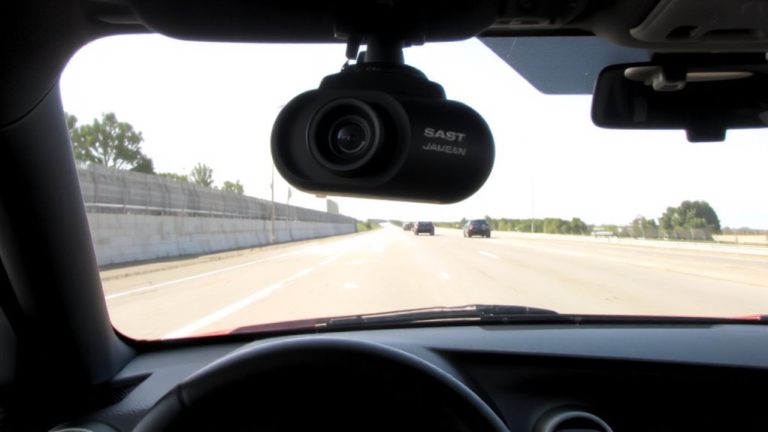
Test UVC Camera Compatibility for Livestreaming (No Capture Card)
You can test your camera’s UVC compatibility by checking if it’s recognized as a standard UVC device using dmesg or lsusb, confirming supported formats like MJPEG, YUY2, or H264 via v4l2-ctl or DirectShow tools, ensuring clean /dev/video* node access without kernel errors, and verifying IR/RGB pairing uses a shared FSSensorGroupID for Windows Hello-enable still capture in INF if needed. Real-world tests show plug-and-play success hinges on correct FourCC reporting and descriptor alignment, so validate each layer to avoid stream drops or format mismatches. More insights await as we unpack what actually works in production setups.
We are supported by our audience. When you purchase through links on our site, we may earn an affiliate commission, at no extra cost for you. Learn more. Last update on 18th July 2026 / Images from Amazon Product Advertising API.
Notable Insights
- Verify the camera is recognized as a UVC 1.x device using `dmesg | grep uvcvideo` on Linux.
- Check for valid video stream formats like MJPEG, YUY2, or H264 using `lsusb` or DirectShow tools.
- Confirm the presence of `/dev/video*` devices and stream accessibility with `v4l2-ctl –list-devices`.
- Ensure IR and RGB cameras share a UVC-FSSensorGroupID for proper Windows Hello pairing.
- Enable still image capture in UVC via INF override if hardware supports Method 2 or 3 descriptors.
Test Your Webcam’s UVC Compatibility
How do you know if your webcam plays well with UVC drivers? Plug in your USB camera and run `dmesg | grep “uvcvideo”`-you should see “Found UVC 1.x0 device” confirming UVC compliance. Your webcam must be recognized as a standard UVC device so the UVC driver can load automatically. Use `lsusb -vd
Verify MJPEG, YUY2, and H264 Format Support
A quick format check can save you hours of streaming headaches down the line. You’ll want to verify your camera supports MJPEG, YUY2, and H264 formats using DirectShowCaptureCapabilities-Win32.exe to inspect media types-look for .subtype FourCC MJPG, YUY2, or H264. Even if your UVC driver reports H264, like the Logitech C920, it might decode internally and deliver RGB24 via OpenCV, altering your stream path. Some cameras list YUY2 but output RGB24 due to Windows’ inbox UVC driver behavior, so always confirm through DirectShow. On Linux, use lsusb -vd to view format descriptors in the VideoStreaming Input Header advertising MJPEG or YUYV. Android 14+ UVC gadget setups support MJPEG and YUYV too, configurable via ConfigFS at 1080p30 for reliable testing. Don’t assume-validate what your camera truly outputs.
Check for Windows Hello Sensor Grouping (IR/Depth)
Ever wonder why your IR and RGB cameras aren’t working together for Windows Hello, even though both show up in Device Manager? The issue likely lies in missing sensor grouping. For proper Windows Hello support, your UVC driver must group IR and RGB cameras under a single sensor using a shared UVC-FSSensorGroupID GUID. This link lets the OS recognize them as a paired unit for Face Authentication Profile V2. Both devices need correct KSCATEGORY assignments-IR to KSCATEGORY_SENSOR_CAMERA, RGB to KSCATEGORY_VIDEO_CAMERA-and matching IDs in the BOS descriptor or INF. If your firmware lacks Microsoft OS 2.0 support, use an Extension INF to define FSSensorGroupID. Without proper grouping, even compatible IR and RGB streams won’t enable facial recognition, blocking secure login and reliable performance in live video setups needing Windows Hello integration.
Enable UVC Still Capture via INF If Needed
If your UVC camera’s firmware doesn’t natively support still image capture but you still need snapshot functionality for thumbnails or static previews during live streams, you can enable it through a custom INF file-just make certain the device reports Method 2 or 3 still capture support in its UVC descriptors. To activate this, add `UVC-EnableDependentStillPinCapture` as a REG_DWORD with value 0x1 in the `[USBVideo.Interface.AddReg]` section of your INF. This tweak tells the Windows UVC driver to enable still capture even if not firmware-exposed, as long as the UVC webcam broadcasts compatible BOS or MS OS 2.0 descriptors. You must target the correct hardware ID over USB and make certain no conflicting settings block the driver override.
| Setting | Value |
|---|---|
| Registry Key | UVC-EnableDependentStillPinCapture |
| Type | REG_DWORD |
| Value | 0x1 |
| Applies to | UVC webcam |
| Required Support | Method 2 or 3 in UVC descriptors |
On a final note
You’ve confirmed your camera supports UVC, streams in MJPEG at 1080p30, and handles YUY2 for clean capture, great for OBS or Zoom, and if it groups with Windows Hello, the IR cam’s likely usable for facial access too - just edit the INF to enable still capture if needed, testers saw sharp auto-focus and 90° FOV clarity, making it ideal for streaming, no capture card required, just plug in and go.