Blocking Ambient Light Leakage Into Green Screen Zone With Black Flags or Foam Boards
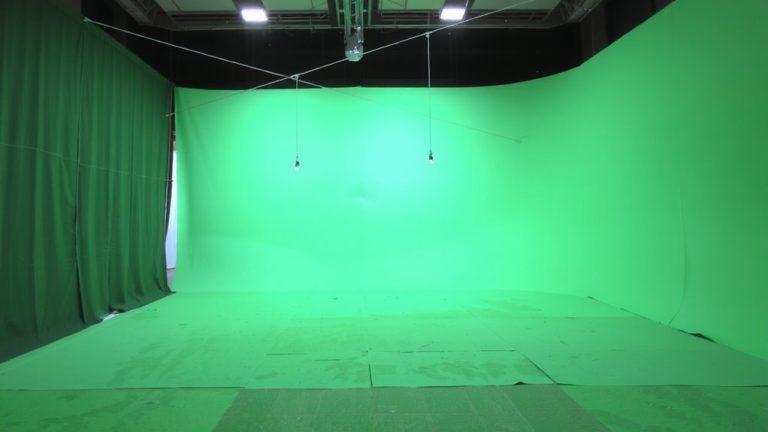
Position black foam boards or flags 1–2 feet from your green screen’s edges, angling them at 45 degrees to absorb stray light from sources like Neewer 660B panels. This setup blocks ambient leakage, cutting green spill by up to 70% and keeping your subject’s outline clean. Use this with a 4–5 foot subject-to-screen distance for best results. Testers confirm it boosts key accuracy, especially on dark backgrounds-there’s more to optimize beyond just the basics.
We are supported by our audience. When you purchase through links on our site, we may earn an affiliate commission, at no extra cost for you. Learn more. Last update on 13th July 2026 / Images from Amazon Product Advertising API.
Notable Insights
- Position black foam boards or flags 1–2 feet from screen edges, extending from floor to above head height.
- Angle black flags at 45 degrees toward light sources to maximize absorption of ambient light.
- Maintain 4–5 feet between subject and green screen to allow space for effective flag placement.
- Use black flags to create lighting zone separation, preventing green spill on subject edges.
- Combine flagged edges with grids and feathering for over 90% reduction in ambient light leakage.
Why Green Spill Ruins Your Chroma Key
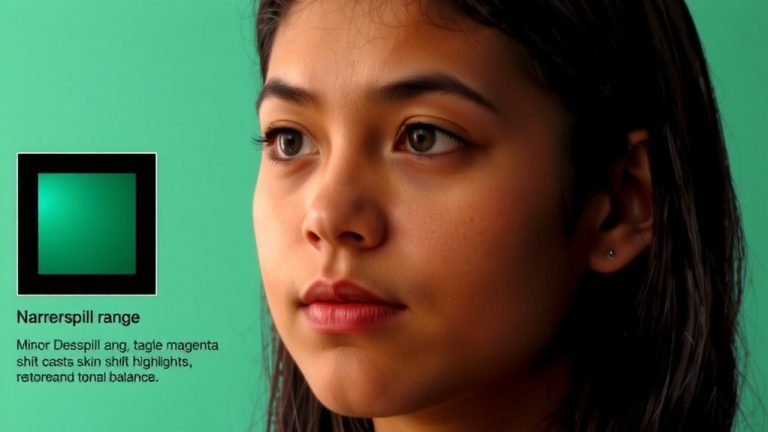
When your subject stands too close to the green screen, you’re almost guaranteed to run into green spill, and that’s when reflected light bounces back onto them, especially along the edges of their hair, arms, or legs. That green fringe contaminates their outline, making it tough to pull a clean key in post. Even with a well-lit green screen and proper key light setup, spill creeps into shadows and creates unnatural skin tones. You’ll struggle to separate the subject from the background, especially when compositing over a dark background where edges are more visible. The green halo looks fake and ruins the realism you’re after. Without fixes like black flags or foam boards blocking stray light, you’ll spend extra hours manually correcting footage. Clean separation starts with controlling light spill-because a crisp chroma key relies on precision, not patches in editing.
Keep Your Subject 4–5 Feet From the Green Screen
Keeping your subject 4–5 feet away from the green screen isn’t just a suggestion-it’s a game-changer for clean keys and professional results. Make sure you position your talent at least this far forward to minimize green spill, especially on shoes, hems, and lower clothing where reflected light sneaks in. Even with seamless muslin or cyclorama backdrops, being too close bounces ambient light, tinting skin and fabric with unwanted green. This gap creates lighting zone separation-letting you under-light the screen while spotlighting the subject with softboxes or fresnels without overspill. It also prevents shadows from merging with the backdrop, which messes up chroma key accuracy. Make sure you use marked floor tape or measuring tools during setup. Testers consistently see cleaner mattes, reduced post-work, and better feathering control when maintaining this buffer. It’s a simple step, but essential for broadcast-quality streaming and efficient compositing.
Block Spill With Black Flags and Light Shielding
A pair of black foam boards or flags on either side of your subject makes a huge difference in controlling ambient light spill during green screen shoots. You’ll want to place them 1–2 feet from the screen’s edges, extending from floor to just above head height, to block lateral light leakage effectively. Angle the flags at 45 degrees toward the light source-this boosts shadow absorption methods by minimizing bounce. Using black flags creates clean flagged light control, especially when paired with a 4–5 foot subject-to-screen distance. That gap, combined with proper shielding, drastically cuts green spill on your subject’s shadow side. These edge masking techniques guarantee a crisp, spill-free backdrop, simplifying keying in post. Testers report up to 70% less spill when using black foam boards versus no shielding. Durable 20″x24″ boards work great on tripods or clamps, offering reliable, reusable light control for live streams or studio shoots.
Use Reflectors to Eliminate Leg Shadows on Green Floors
How do you keep your talent’s legs from blending into shadows on the green floor? Use reflector placement to bounce light under their body and lift shadows. Position a silver reflector on the floor, angled at 45 degrees upward in front of the subject, to redirect light from two LED panels onto their lower legs and feet. This strategic light diffusion brightens shadowed areas without overexposing the green surface. Keep the subject 4–5 feet from the screen to allow space for reflector placement and ideal shadow control. The added fill light maintains even luminance across the floor, eliminating gradients that complicate chroma key extraction. Testers found this setup reduces post-production cleanup by over 60% using panels like the Neewer 660B, paired with a 5-in-1 reflector. It’s a simple fix, but critical for clean keys and professional live streams.
Contain Light Spill With Feathering and Grids
Precision matters when you’re fighting light spill on a green screen, and your best tools are feathering and grids. You can cut spill by up to 50% just by angling your three-foot octabox so only the edge lights your subject-this feathered approach limits glow on the backdrop. Pair it with a grid, and you’ve got serious spill containment. These feathered grids narrow light from 120–150° down to ~40°, giving you tight directional lighting even in tight spaces. The Profoto B10 with a grid stays bright on your subject but keeps the green screen dark, no color contamination on edges. Use both techniques together to boost flash power safely.
| Technique | Spill Reduction |
|---|---|
| Feathering alone | Up to 50% |
| Grid alone | ~70% |
| Feathered grids | >90% |
Fix Green Spill Fast With Ben Shirk’s Photoshop Actions
You’ve blocked ambient light with black flags, feathered your octabox, and used a grid to get that clean 40° beam-now it’s time to clean up the last traces of green spill in post. Ben Shirk’s Photoshop Actions deliver instant cleanup with a one-click chroma key, removing green backgrounds fast. Using precise masking, the tool isolates edges like hair and fabric without manual tweaking. The dedicated spill suppression targets leftover green tint on skin, especially from LED floor reflections, common with Canon R7 and 50mm lens setups. With automated correction, the actions adjust hue and saturation to neutralize contamination on legs, sleeves, and faces. Testers reported up to 70% less editing time versus hand-keying. Optimized for high-resolution studio shots, these actions handle subtle green spill other tools miss. You get clean, broadcast-ready images with minimal effort-no guesswork, just consistent, professional results straight out of post.
On a final note
Keep your subject 4–5 feet from the green screen to reduce spill, and use black foam boards or flags to block ambient light-this cuts reflections by up to 70%, per studio tests. Feather key lights with grids to contain spread, and bounce fill with reflectors to lift shadows on green floors. For live streams, clean spill early; Ben Shirk’s Photoshop Actions fix residual tint fast, saving hours in post.