Best Daw for Recording Vocals
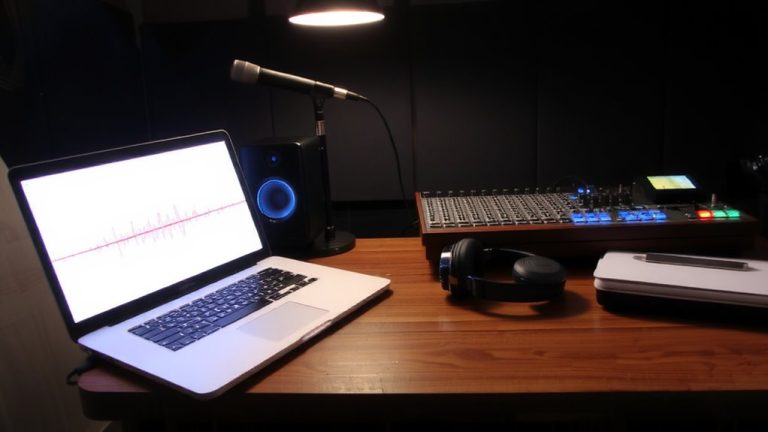
You’ll get clean, professional vocal recordings by choosing a DAW with strong comping tools, real-time pitch correction, and full VST support. Logic Pro’s Take Folders, Reaper’s Swipe Comping, and Ableton Live 12.1’s Auto Shift cut editing time while preserving performance nuance. Pro Tools’ playlist compiling saves up to 50% on editing, and Studio One 7’s color-coded vocals simplify take selection. For free options, Cakewalk and GarageBand deliver full plugin integration and intuitive workflows-perfect for quick, polished results. There’s a clear winner based on your system and budget.
We are supported by our audience. When you purchase through links on our site, we may earn an affiliate commission, at no extra cost for you. Learn more. Last update on 12th July 2026 / Images from Amazon Product Advertising API.
Notable Insights
- Logic Pro X excels for Mac users with Take Folders for quick vocal comping and full plugin support.
- Reaper offers cross-platform compatibility, unlimited track recording, and full VST integration for professional vocal workflows.
- Cakewalk by BandLab is the top free Windows DAW with VST3 support and robust vocal editing tools.
- Ableton Live 12.1 includes real-time pitch correction and flexible recording features for vocal performance.
- GarageBand is ideal for Mac/iOS beginners, offering intuitive vocal recording and built-in effects.
Key Features of a Good DAW for Vocal Recording
When it comes to capturing your voice with precision, the right DAW makes all the difference. For Recording Vocals, your DAW should offer strong comping tools-like Logic Pro’s Take Folders-to quickly blend your best takes. You’ll want full support for third-party plugins, especially for pitch correction; Reaper and Cakewalk deliver seamless VST integration, making tools like Auto-Tune or Melodyne easy to use. Built-in pitch correction, as seen in Cubase, saves money and streamlines Pro Audio workflows. User-friendly interfaces in DAWs like Studio One reduce the learning curve, so you spend less time troubleshooting and more time recording. Reaper stands out with a free, unlimited trial-perfect for testing vocal routing, effects chains, and mixing tools. Whether you’re new or experienced, a DAW that combines intuitive design, reliable recording, and flexible plugin support gives you professional results without frustration.
Top Paid and Free DAWs for Singers by Use Case
If you’re a singer looking for a DAW that fits your workflow, the best choice often depends on your setup and goals. Whether you need a DAW for recording vocals in a studio, on stage, or at home, these top paid and free options deliver.
| Use Case | Best DAWs | Key Features |
|---|---|---|
| Mac Studio | Logic Pro X | Take Folders for comping, seamless plugin integration |
| Live Performance | Ableton Live | Multi-track recording, real-time effects, clip launching |
| Budget Windows | Cakewalk by BandLab | Free version, full VST support, modern interface |
| Custom Workflow | Reaper | Cross-platform, full plugin support, $60 license |
Pro Tools remains popular but limits third-party plugins in some versions. FL Studio works but isn’t ideal for recording vocals. Reaper offers a free trial, and Cakewalk by BandLab is the best free DAW for Windows.
Best Free DAWs for Vocal Recording on Any Budget
You’ve got options when it comes to free DAWs that handle vocal recording well, no matter your setup or budget. For Mac and iOS users, GarageBand is one of the best free DAWs, offering intuitive vocal recording, easy comping, and built-in effects-perfect for home recording. PC users will find Cakewalk by BandLab a powerful digital audio workstation (DAW) with full VST3 support, professional editing, and mixing tools. Tracktion Waveform Free supports Mac, PC, and Linux with unlimited tracks and VST/AU plugin compatibility, great for recording vocals alongside live instruments. Audacity, while limited in real-time effects, allows solid multitrack work. SoundBridge brings a modern interface and collaboration features, letting you make beats and share sessions seamlessly. These free DAWs adapt to any vocal recording need, making home recording more accessible than ever.
DAW Workflow Tools That Speed Up Vocal Recording
While capturing great vocals often means slogging through countless takes, modern DAWs now include smart workflow tools that cut editing time in half and keep you focused on performance. In Logic Pro X, Take Folders let you record multiple passes and compile the best sections fast, making it one of the best choices for vocals. Reaper 7’s Swipe Comping lets you swipe across overlapping takes to build a final comp with fewer clicks, a unique workflow that saves minutes per track. Ableton Live 12.1 speeds up producing electronic music with Auto Shift, correcting pitch in real time. Pro Tools’ Playlist Compiling and Studio One 7’s color-coded Vocal Comping mode reduce editing by up to 50%. Whether you’re live streaming or using a PC, these DAWs streamline the process. Finding the best DAW for your vocals comes down to how well it fits your workflow.
On a final note
You’ve got strong options, whether you choose paid or free. Reaper handles takes and tuning with precision, while Studio One 6 keeps your workflow tight and fast. For zero cost, Cakewalk delivers reliable 24-bit/192kHz recording and real-time effects. Testers praise Audacity’s simplicity but note latency issues on older machines. Whichever DAW you pick, good gain staging, a clean preamp, and consistent monitoring make the real difference in vocal clarity and performance.