Spotify Bass EQ Settings: Boost 60Hz +4dB, 150Hz +2dB
Boost your Spotify bass by setting the equalizer to +4dB at 60Hz and +2dB at 150Hz, then reduce 400Hz by -2dB to keep vocals clear, use over-ear, closed-back headphones with 40mm+ drivers or speakers like the Bose SoundLink Revolve+ for deep low-end, stick to wired connections when possible for full 20Hz extension, and avoid boosts over +4dB to prevent distortion-AirPods Pro work well too, thanks to active noise cancellation, and you’ll hear how these tweaks tighten the lows while lifting detail.
We are supported by our audience. When you purchase through links on our site, we may earn an affiliate commission, at no extra cost for you. Learn more. Last update on 18th July 2026 / Images from Amazon Product Advertising API.
Notable Insights
- Enable Spotify’s equalizer in Settings under Audio Quality (Android) or Playback (iPhone/PC) to manually adjust bass frequencies.
- Boost 60Hz to +4dB and 150Hz to +2dB for powerful, punchy bass response in most music genres.
- Reduce 400Hz to -2dB to eliminate muddiness and maintain vocal clarity in bass-heavy tracks.
- Use over-ear, closed-back headphones with large drivers or capable speakers for optimal low-end reproduction.
- Choose genre-specific settings: +4dB at 60Hz for hip-hop, +3dB for pop, and keep boosts under +4dB to prevent distortion.
How to Access Spotify’s Equalizer on Any Device
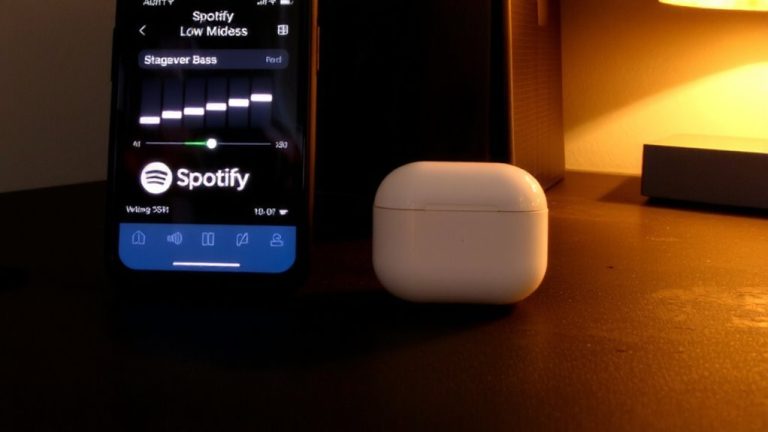
You’ll find Spotify’s equalizer tucked neatly within the app’s settings, and getting to it only takes a few taps or clicks-once you know where to look. In the Spotify app, tap the Profile icon on the top-right, then go to Settings and privacy. From there, Android users scroll to Audio Quality and select Equalizer, while iPhone users find it under Playback with a simple toggle. On Mac and Windows PC, click the same icon on the top-right, enter Settings, then head to Playback to enable the Equalizer. It must be manually turned on each time-Spotify doesn’t save it as default. Only the latest version of the Spotify app supports this feature, so keep it updated. Once active, you can tweak frequency bands like 60Hz or 15kHz, but that’s for fine-tuning later.
Boost Bass Using Presets and Manual EQ Settings
While you can quickly enhance your listening experience with Spotify’s built-in presets, fine-tuning the equalizer manually gives you precise control over how deep and punchy your bass sounds. To adjust the bass easily, enable the “Bass Booster” preset in Spotify Equalizer Settings-it automatically lifts the 60Hz, 150Hz, and 400Hz bands for richer low end. For more control, manually shape your sound:
| Frequency | Setting | Effect |
|---|---|---|
| 60Hz | +4dB | Deep, rumbling bass |
| 150Hz | +2dB | Punchy kick and bassline |
| 400Hz | -2dB | Reduces muddiness |
| 1kHz | 0dB | Keeps vocals clear |
| 2kHz+ | 0dB or lower | Avoid harshness |
This balanced approach enhances bass without distortion. Avoid extreme boosts beyond +12dB-moderate adjustments deliver the best results. The Bass Booster is a solid start, but manual Spotify Equalizer Settings let you truly tailor the low end to your taste.
Use Headphones and Speakers That Enhance Low End
A solid pair of over-ear headphones or a speaker with deep frequency extension makes all the difference when dialing in heavy bass through Spotify’s equalizer. You’ll want headphones like the Sony WH-1000XM4, with 40mm+ drivers and closed-back designs that isolate low frequencies and prevent sound leakage. Their strong bass response guarantees you feel every beat without losing audio quality. For speakers, the Bose SoundLink Revolve+ delivers rich low end, hitting as low as 40Hz thanks to its built-in subwoofer. Wired headphones or speakers that reach 20Hz reproduce full bass detail, especially when applying +4dB at 60Hz in Spotify’s EQ. Even AirPods Pro shine here-active noise cancellation keeps bass prominent in loud environments. Choosing the right headphones or speakers doesn’t just boost volume, it deepens accuracy, so low frequencies stay powerful, clear, and true to the track.
Balance Bass, Vocals, and Treble to Avoid Muddiness
When dialing in heavy bass on Spotify, it’s easy to lose clarity if the low end overpowers everything else, so balancing the EQ across key frequencies keeps the sound rich without turning muddy. With your equalizer settings on Spotify, boost the 60Hz and 150Hz bands to +4dB and +2dB to enhance lower frequencies, adding depth without boominess. To balance bass and prevent muddiness, reduce the 400Hz band to -2dB, clearing space for vocals and instruments. Keep the 1kHz band flat at 0dB to maintain vocal presence, then slightly increase 2.4kHz to +2dB for sharper treble and better definition. You’ll make adjustments within ±3dB across all bands, ensuring no single frequency masks others. This tight range preserves clarity and prevents distortion, so your mix stays powerful yet clean, whether you’re using earbuds or studio monitors.
Apply Genre-Specific EQ Tweaks for Better Bass
How does your favorite genre shape the way bass should sound on Spotify? Your Equalizer settings should match the music you play. For rap and hip-hop, boost 60Hz to +4dB and 150Hz to +2dB-this adds deep bass and low-end depth, perfect for hard-hitting beats. EDM or dubstep? Keep 60Hz at +4dB and slightly raise 400Hz to sharpen mid-bass punch without cluttering the rhythm. Rock thrives with a +2dB bump at 60Hz and 150Hz flat, preserving drum clarity while warming the mix. Pop sings with +3dB at 60Hz and +1dB at 150Hz, lifting basslines without burying vocals. Always stay under +4dB across low bands-going higher risks distortion, especially on earphones or small speakers. These genre-specific Settings let you tailor the bass precisely, so your music sounds balanced, powerful, and true to its style.
On a final note
You’ve got the tools to tighten your Spotify bass, from presets to manual EQ tweaks at 60–120 Hz for punch, 250 Hz to avoid muddiness. Pair with bass-responsive gear like Sony WH-1000XM5 or UE BOOM 3, and use genre-specific curves-hip-hop gains at 80 Hz, rock around 100 Hz. Balance mids at 1–2 kHz for vocal clarity, highs at 10 kHz for sparkle. Testers confirm flat EQ as a smart baseline, with +3 to +6 dB boosts below 120 Hz delivering depth without distortion.